
AI Video Tools
Best AI Video Editors for YouTubers
By Nishi C
AI Video Tools Reviewer, North America

In this review⌄
Short answer: For most YouTubers who film themselves, the best AI video editor in November 2026 is Vidpal: one app captions your footage, cuts silences and filler words, adds zooms and b-roll, turns each long upload into ranked Shorts and schedules them to YouTube. Pro costs $39 a month for 40 credits. Choose Adobe Premiere or CapCut for frame-precise editing of long videos, and Descript if you prefer editing by transcript.
- Vidpal: best for the repeatable upload, polish, clip and post loop.
- Descript: best for cutting talking-head video by editing text.
- Premiere and CapCut: best for manual, frame-level long-form edits.
- OpusClip and Submagic: best single-purpose clipper and captioner.
This buying guide is for YouTubers who appear in their own videos: talking-head explainers, tutorials, vlogs, reviews and video podcasts. You already have footage. What eats your week is the cleanup (dead air, "ums", captions), then cutting Shorts from every upload and posting them on a schedule. The best AI video editor for you is the one that removes the most of that routine without taking away the control you still want.
How we compared: we read each tool's own pricing page, feature pages and help docs on 6 November 2026, and judged them on the jobs a self-filming YouTuber repeats every week: silence and filler removal, captions, zooms and b-roll, vertical reframing, clipping long videos into Shorts, export quality and posting to YouTube. As with every Tweedsmag guide, we don't own the products we compare, and our About page explains how we work. All prices are as of November 2026.
Best AI video editors for YouTubers compared
The table puts the eight picks side by side on the criteria that matter most to creators who film themselves. Prices are the lowest paid tier on monthly billing unless noted.
| Tool | Best for | Paid from | Free plan | Silence or filler removal | Long video to Shorts | Posts to YouTube |
|---|---|---|---|---|---|---|
| Vidpal | Upload, polish, clip, post | $19/month ($12 yearly) | 4 one-time credits, watermark | Yes, AI Trim | Yes, AI Clips up to 2 hours, 0-100 score | Yes, publish or schedule (Pro, Business) |
| Descript | Editing by transcript | $24/person ($16 yearly) | 60 media minutes a month, 720p | Remove Filler Words | Create Clips, no numeric score | Yes, one-click publishing |
| Adobe Premiere | Frame-precise long-form editing | $22.99/month (annual plan, billed monthly) | Mobile app free; desktop 7-day trial | Not confirmed on Adobe's pages | Not listed on pages checked | No direct publishing confirmed |
| CapCut | Low-cost manual editing | $19.99/month ($15 yearly) | Yes, limits not fully published | Transcript editing flags fillers and gaps | Not listed on pages checked | Not documented (shares to TikTok) |
| OpusClip | Clipping only | $15/month (monthly only) | 60 credits a month, watermark | Yes, from Starter | Yes, Virality Score 0-99 (paid) | Yes; scheduling on Pro |
| Submagic | Animated captions on Shorts | $19/month ($12 yearly) | No; 3-video trial | Yes, silences and bad takes | Magic Clips | Yes; scheduling on Pro, Business |
| VEED | Browser editing and subtitles | $25/month ($12.25 yearly) | 720p, watermark, 10-minute exports | Yes, on Creator and up | Clips tool on Creator and up | No, download only |
| Captions | Editing on a phone | $24.99/month Max (iOS prices); help center lists Basic at $9.99 | 60 to 200 lifetime credits | AI Edit trims fillers and pauses | Clips on Max ($24.99) | Unclear on Captions' own pages |
Prices from each provider's pricing page on 6 November 2026; taxes not included.
What makes the best AI video editor for YouTube
An AI video editor is an editing app that automates the repetitive parts of a cut, such as transcribing, trimming pauses, captioning and reframing, while leaving you to approve the result. For a YouTuber, five things decide whether one saves real hours:
- Cleanup quality: removing silences and filler words without chopping words in half.
- Captions: accurate word-level timing and styles you can save as a brand look.
- Shorts from long videos: finding the strongest moments and reframing them to 9:16.
- Control: a timeline when the automatic pass gets something wrong.
- Posting: publishing or scheduling to YouTube without downloading and re-uploading.
Price matters too, but compare it per finished video, not per month: credit systems differ widely between apps.
The 8 best AI video editors for YouTubers, ranked
1. Vidpal: best overall for the upload, polish, clip and post loop
Vidpal ranks first because it covers the full weekly routine in one place. You polish footage you filmed, cut a long upload into Shorts, and publish or schedule them to YouTube from the same screen, paid from one pool of credits where one short video costs one credit.
- Best for: YouTubers who want every upload to produce a batch of Shorts and a posting schedule without a second app.
- Price: Free trial with 4 credits and a watermark; Starter $19 a month (15 credits), Pro $39 (40 credits, publishing, 2K export), Business $69 (100 credits, 4K export).
- Watch out for: AI Editing's upload screen accepts files up to 10 minutes, so longer videos go through AI Clips; face tracking in AI Clips is off by default; no posting to Facebook, X or Pinterest.
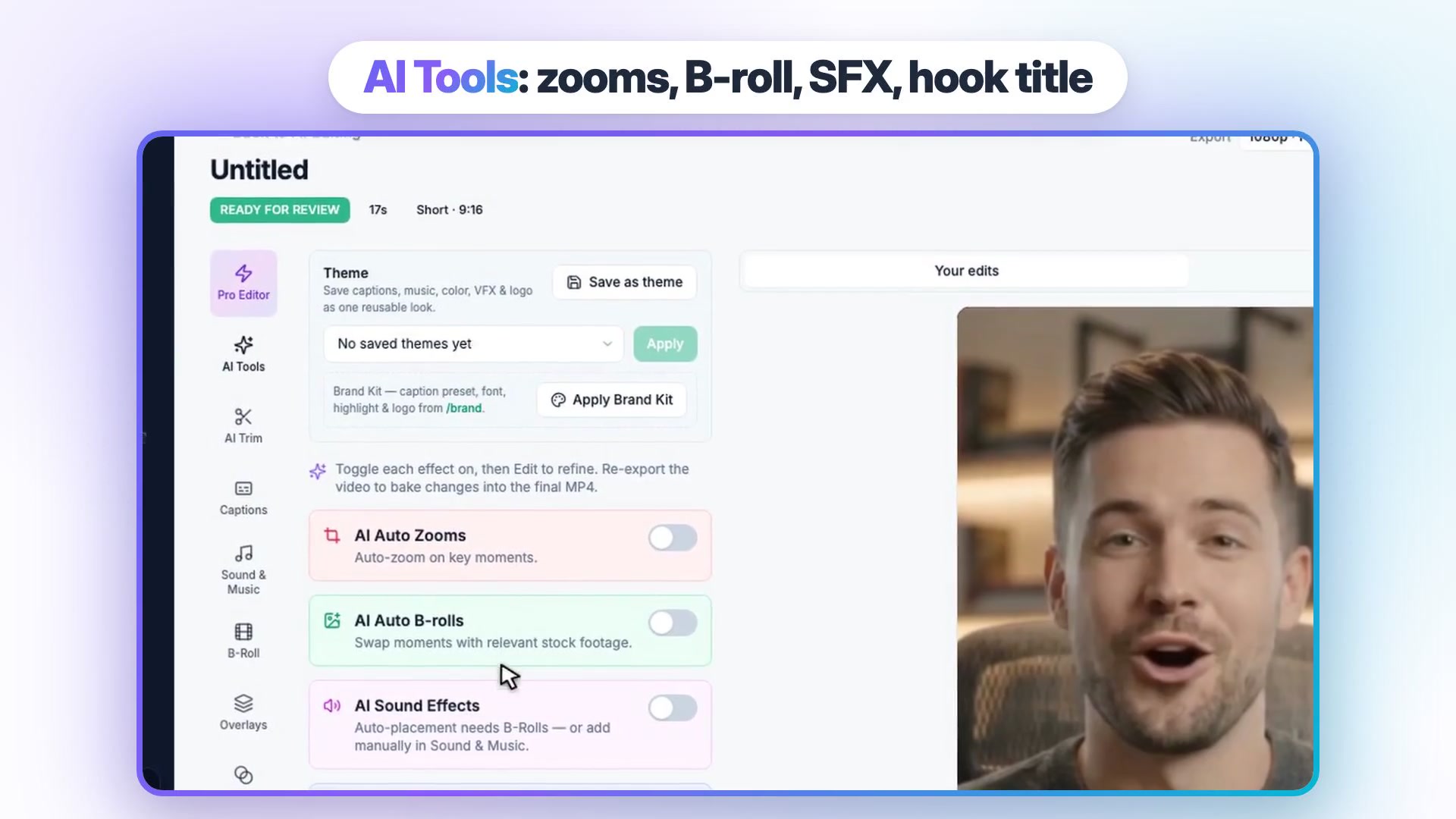
AI Editing handles footage you filmed yourself. Bring in an MP4 or MOV file from your computer, from Google Drive, or from your phone by scanning a QR code, then toggle the fixes: AI Trim strips silences and filler words, captions are timed word by word, and auto zooms, stock b-roll, sound effects and a hook title are each one switch away. B-roll means secondary shots that cut away from your face to illustrate a point; Vidpal's AI b-roll generator picks it from stock. Smart Reframe converts 16:9 to 9:16. For manual fixes, the Pro Editor gives you a timeline, transitions, more than 45 animated overlay templates and over 1,000 music tracks, or your own. A Brand Kit applies your logo, colors, font and one of 75 caption presets to everything.
AI Clips takes a long recording of up to 2 hours on paid plans. It transcribes the video, ranks the strongest moments and labels each clip with a short hook of 3 to 8 words, one sentence on why it was chosen, and a 0 to 100 virality score that compares it with the rest of that video. You choose clip length from 10-15 seconds up to 90-180 seconds, and each clip opens in the same editor for zooms, b-roll and caption changes. On Pro and Business, the Publish panel posts to YouTube, Instagram, TikTok and LinkedIn immediately or on a schedule up to 90 days ahead, at no credit cost. For days between uploads, Vidpal's Studio can also make faceless Shorts from a topic or script.
2. Descript: best for editing by transcript
Descript turns your recording into a transcript, and deleting words deletes the matching video. That makes it fast for talking-head channels and podcasts where most edits are "cut that sentence".
- Best for: creators who think in scripts and want to edit long recordings by hand with AI help.
- Price: Free plan with 60 media minutes a month and 720p export; Hobbyist $24 per person a month or $16 billed yearly, Creator $35 or $24 yearly, on Descript's pricing page.
- Watch out for: media hours and AI credits cap your monthly use; no direct TikTok or Instagram posting.
Its AI co-editor, Underlord, handles tasks like Create Clips, Studio Sound and Remove Filler Words, and Descript publishes to YouTube in one click. Create Clips picks moments without a numeric score, so you choose your favorites. Vidpal compares the two on its Descript alternative page.
3. Adobe Premiere: best for frame-precise long-form editing
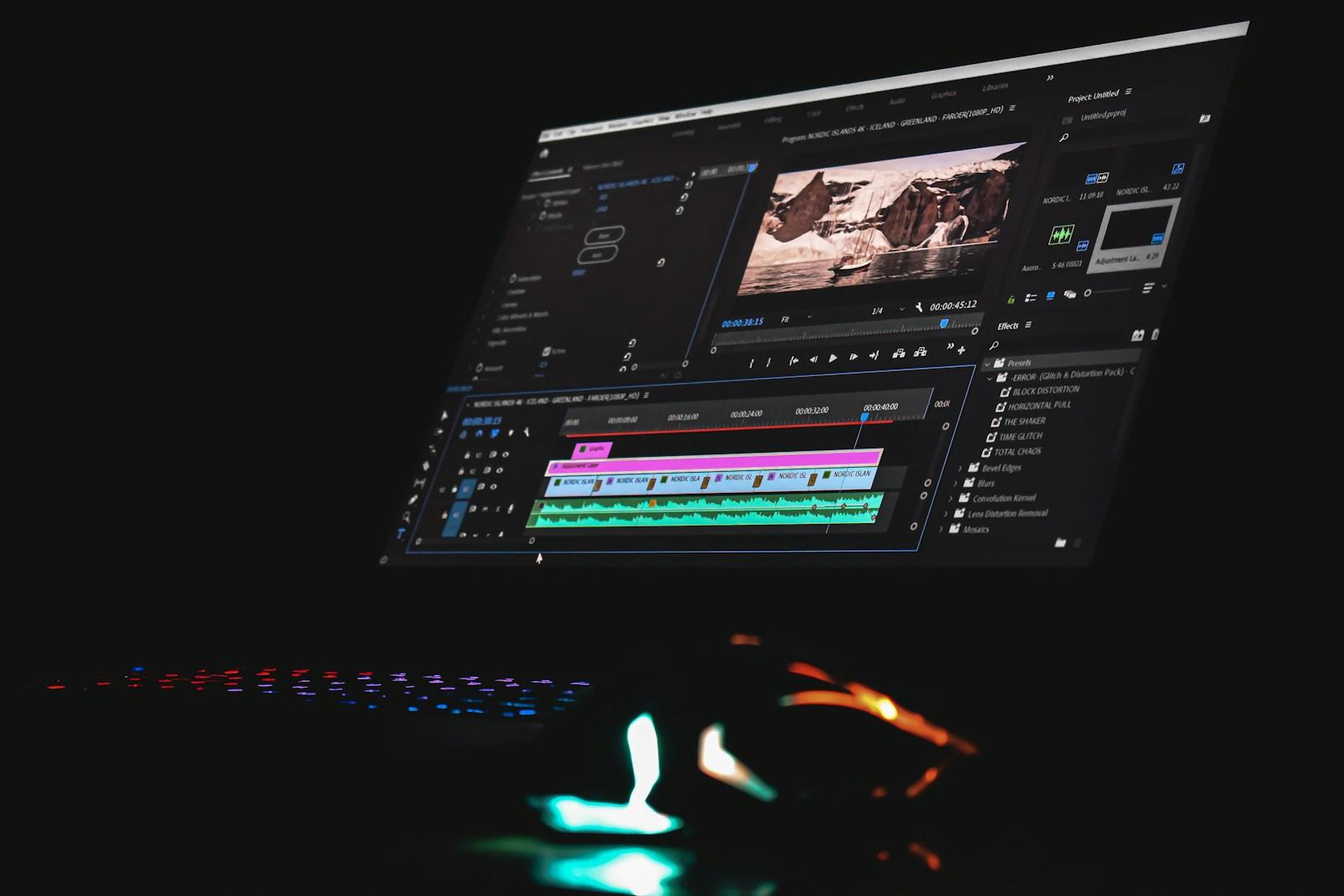
Adobe Premiere (Adobe has dropped "Pro" from the name) is the professional editor here, and it wins whenever a long video needs exact, frame-accurate control on a full manual timeline.
- Best for: YouTubers producing polished long-form videos who are willing to learn a pro tool.
- Price: $22.99 a month on an annual plan billed monthly, per Adobe's Premiere plans page; a free mobile app and a 7-day desktop trial.
- Watch out for: a learning curve, generative features that spend credits, and no direct publishing confirmed.
Its AI helpers live inside a manual workflow: transcription on import, Text-Based Editing, caption translation in 18 languages, Enhance Speech and Generative Extend. It won't clip and schedule your Shorts for you, which is why many creators pair it with a clipping tool.
4. CapCut: best low-cost manual editor with AI helpers
CapCut gives you a full manual editor on desktop, web and phone, with templates, auto captions and transcript editing that flags filler words and speech gaps for removal.
- Best for: budget-minded creators who want to place every cut themselves and start free.
- Price: Free plan; Pro $19.99 a month or $179.99 a year on CapCut's pricing page, which notes final prices vary by region.
- Watch out for: its materials license: an export that mixes non-commercial assets is for personal use only, which matters on a monetized channel.
The desktop app exports up to 4K at up to 60fps depending on your source. Like Premiere, it is a strong choice for frame-precise work on long videos, but clipping and scheduling are left to you.
5. OpusClip: best dedicated clipper for long videos
OpusClip does one job: it turns long videos into ranked short clips, with captions, reframing layouts and a scheduler.
- Best for: creators who edit their main video elsewhere and only need Shorts cut from it.
- Price: Free plan with 60 monthly credits, each worth one minute of uploaded video; Starter $15 a month; Pro $29 a month ($14.50 a month on yearly billing), according to OpusClip's pricing page.
- Watch out for: credits burn on the full source length, and free clips are watermarked and expire after 3 days.
It imports from YouTube, Zoom, Twitch and many other links, scores clips 0 to 99 on paid plans, offers split, screenshare and gameplay layouts for podcasts and streams, and Pro adds scheduling to nine networks.
6. Submagic: best for fast animated captions on Shorts
Submagic is a web editor built around animated captions, with auto edits that remove silences and bad takes, add zooms and b-roll, and write hook titles.
- Best for: captioning and polishing many short talking-head clips quickly.
- Price: Starter $19 a month (45 credits, about 15 videos, 2-minute max), Pro $39, Business $69, on Submagic's pricing page.
- Watch out for: per-video length caps by plan, no free plan, and no native mobile app.
It publishes to YouTube, TikTok, Instagram, Facebook, LinkedIn and X, with scheduling on Pro and Business.
7. VEED: best browser editor for subtitles and translation
VEED runs in the browser and is strongest on subtitles, translation, dubbing and AI voices, with text-based "Edit with Script" on every plan.
- Best for: channels that need translated subtitles or work from any computer.
- Price: Free plan with watermarked 720p exports up to 10 minutes; Creator $25 a month or $12.25 billed yearly, on VEED's pricing page.
- Watch out for: download only, so you upload to YouTube yourself; credits don't roll over.
Creator unlocks silence and filler-word removal, a clips tool and AI b-roll; Pro adds 4K export.
8. Captions: best for creators who film and edit on a phone
Captions is a phone-first editor whose AI Edit trims filler words and pauses, adds captions in 100+ languages and offers eye contact correction and dubbing.
- Best for: talking-head creators who shoot and finish videos on a phone.
- Price: Max is $24.99 a month (iOS prices, and the plan that includes Clips) on Captions' pricing page; its help center lists Basic at $9.99.
- Watch out for: AI features spend credits, and its own pages disagree on whether free exports carry a watermark.
Workflow: one 20-minute YouTube video into a polished upload plus 5 to 10 Shorts
Here is how a weekly 20-minute video becomes a finished upload and a week of Shorts, with Vidpal doing the repeatable part. YouTube treats vertical or square uploads of up to 3 minutes as Shorts, per YouTube's Shorts help page, so every clip below qualifies.
- Cut the main video where you're fastest. A 20-minute master is longer than AI Editing's 10-minute upload limit, so give it its frame-level pass in Premiere, CapCut or Descript. If your main video runs 10 minutes or less, upload it to Vidpal's AI Editing instead and let AI Trim, captions, zooms and b-roll do that pass for 1 credit.
- Upload the finished 20-minute file to AI Clips. Clip detection is priced at 1 credit for every 10 minutes of video, so this step costs 2 credits.
- Set the clip length and framing. Pick 30-60 seconds for most channels, and switch on face tracking if you don't sit in the center of the frame.
- Review the ranked list. Read each clip's hook and one-line reason, and approve 5 to 10 that stand on their own without the full video's context.
- Polish each clip. Open it in the editor, apply your Brand Kit captions and switch on auto zooms, b-roll or sound effects where they help.
- Export and schedule. Each exported clip costs 1 credit. On Pro, schedule one Short a day to YouTube from the Publish panel; posting itself is free.
The cost: 2 credits to find clips plus 8 to export is 10 credits per long video. Four weekly videos use Pro's 40 credits exactly and give you 32 Shorts a month for $39, about $1.22 per Short. Vidpal's own guide to repurposing long YouTube videos into Shorts covers hooks and packaging in more depth.
How to choose the right AI video editor for your channel
Match the tool to where your hours go now:
- If cleanup, Shorts and posting eat your week, choose Vidpal and let one app run the loop.
- If you edit long videos by reading the script, choose Descript.
- If your long videos need exact timing and full manual control, keep Premiere or CapCut for the main cut and add Vidpal or OpusClip for Shorts.
- If you already have a main editor and only need clips, OpusClip is the focused pick; Vidpal is the better buy if you also want polish and scheduling.
- If captions are the only gap, Submagic or VEED will do.
- If you film and post from your phone, try Captions.
Not filming yourself at all? Our best AI video generators guide covers prompt-to-video tools, and our AI video makers for beginners list puts ease of use first. For a deeper look at the top pick, read our full Vidpal review.
What to do next
Take last week's upload and run it through one tool on this list before paying for anything. To try the loop, start a free Vidpal account and compare plans on Vidpal's pricing page. More guides live in our AI video section.
Frequently asked questions
What is the best AI video editor for YouTubers?
For YouTubers who film themselves, Vidpal is the best all-round AI video editor as of November 2026, because it captions and cleans up footage, clips long uploads into ranked Shorts and schedules them to YouTube in one app, from $19 a month. Adobe Premiere and CapCut remain better for frame-precise long-form editing, and Descript suits creators who prefer editing by transcript.
Can AI edit my YouTube videos automatically?
Partly. AI editors can remove silences and filler words, add captions, zooms and b-roll, reframe to vertical and pick clips for Shorts with little input from you. You should still review every cut, check caption spelling and approve which clips go out. Creative decisions such as story structure and the pacing of long videos still benefit from a human editor.
Is Premiere Pro or CapCut better than an AI video editor?
For long, carefully crafted videos, yes. Adobe Premiere and CapCut give you frame-level control over every cut, layer and track that automated editors don't try to match. AI editors win on the repetitive work: trimming pauses, captioning, clipping Shorts and posting them. Many YouTubers use both: a manual editor for the main video and an AI tool for everything after it.
Is Descript better than Vidpal for YouTube?
It depends on your bottleneck. Descript is better if you want to edit long recordings by hand through a transcript, and it publishes to YouTube. Vidpal is better if your time goes into turning each upload into Shorts and posting them: it scores clips, adds zooms and b-roll, and schedules to YouTube, Instagram, TikTok and LinkedIn on Pro.
How do I turn one YouTube video into Shorts with AI?
Upload the finished long video to an AI clipping tool such as Vidpal's AI Clips or OpusClip. The tool transcribes it, ranks the strongest moments and reframes them to 9:16 with captions. Pick 5 to 10 clips that make sense alone, polish their hooks and schedule them over the following week. YouTube counts vertical videos up to 3 minutes as Shorts.
How much does Vidpal cost for a YouTuber?
Vidpal's Starter plan is $19 a month for 15 credits, Pro is $39 for 40 credits with YouTube scheduling, and Business is $69 for 100 credits, as of November 2026. One short video or AI Editing upload costs 1 credit, and AI Clips charges 1 credit for each 10 minutes of uploaded video, then 1 credit for every clip you export. The free plan gives 4 credits once.
Get Updates on Our Reviews
More reviews
All reviews →
AI Video Tools
Best AI Video Makers for Beginners
The best AI video maker for beginners is Vidpal: type a sentence, pick a length and style, check the script and export. Clipchamp and Canva suit free use.
Nishi C ·
AI Video Tools
10 Best AI Video Generators in 2027
The best AI video generator for most people is Vidpal, which turns an idea into a finished, captioned video. Google Flow, Kling and Runway lead for footage.
Nishi C ·

Metal Pergola Reviews
Top 10 Best Metal Pergolas List of This Year
Are you looking for a comparison table of the best metal pergola in the market? We worked hard to collect all the best units available on Amazon and reviewed them to help you find the best ones that will help you build a stylish and sturdy outdoor unit in your backyard.
Nishi C ·